Buzzy Party: Mimic Voice
Buzzy PartyTrivia
4.712.00 Reviews
- Version
- 1.8.35
- Installs
- 500.00K
- Age Rating
- Everyone
Screenshots
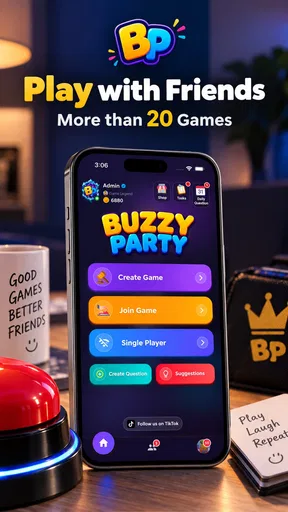
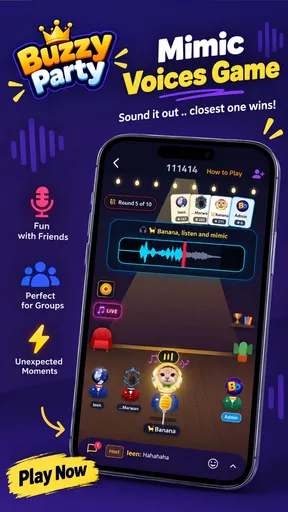
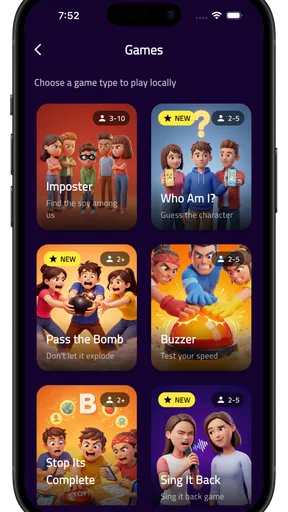
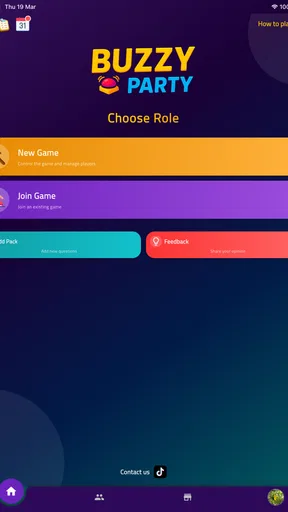
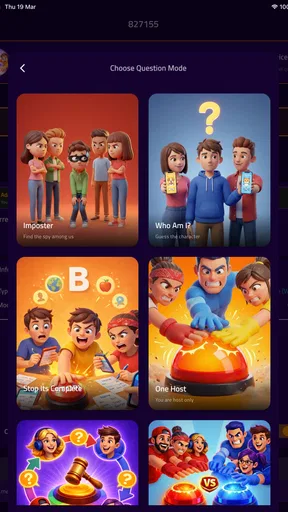
Our Review of Buzzy Party: Mimic Voice
 Analysis by Appyee
I enjoy trivia games most when they make conversation easier rather than turning a casual gathering into a serious competition. That is the space where Buzzy Party: Social Party makes sense. It is a free multiplayer trivia game from Buzzy Party, built around quick questions, buzzer-style responses, and party play that can work online or offline. After spending time with it, I see it as a useful choice for filling an awkward pause, starting a game night, or giving a group something simple to do together.
The important word here is “social.” This is not the kind of trivia experience I would choose when I want a deep solo challenge, a carefully organized quiz league, or a long campaign with complex progression. Its appeal comes from getting several people involved quickly. The rules are easy to understand, the trivia format gives everyone a reason to pay attention, and the buzzer element adds a little urgency without making the game difficult to learn.
It is listed for Everyone, which fits the approachable tone, and it runs on Android devices using version 7.0 or later. The game is free to install, although optional in-app purchases range from $0.49 to $14.99 per item. That combination makes it easy to try with a group, but I would still check the purchase experience before handing a phone to a child or leaving the game running during a family event.
How I use the game when a group needs something to do
My preferred way to start is not to over-plan. I open the game, gather the players, and begin with a short session rather than announcing a full evening of trivia. That matters because party games often lose energy when people are waiting through instructions, account steps, or a complicated setup. Buzzy Party works best when it becomes part of the gathering instead of becoming the entire event before anyone has played.
A realistic use case is a small group waiting for food at home. One person can take responsibility for starting the session while everyone else keeps talking. When a question appears, the conversation naturally pauses, people make quick guesses, and the result gives the group a new topic. Even players who are not confident trivia fans can join because the buzzer format makes speed and instinct part of the fun, not just stored knowledge.
I also like it as a low-effort option for a family visit. Because the age rating is Everyone, it is easier to suggest across generations than a game built around mature jokes or complicated competitive systems. That does not guarantee that every question will suit every player’s knowledge or reading ability, so I would keep the first round relaxed and avoid treating the score as a serious measure of intelligence.
The offline option is particularly useful in situations where I do not want the whole activity to depend on a stable connection. A living-room gathering, a journey, or a place with unreliable reception can still have a trivia session. Online play, meanwhile, gives the game a wider social use: friends do not have to be in the same room to take part. I would choose between the two modes based on the group rather than assuming one is always better.
For a first session, I recommend agreeing on a simple house rule before the first question: everyone should have a clear turn at the device or buzzer interaction, and nobody should shout answers over the person managing the round. That small bit of structure prevents the fastest or loudest player from dominating. It also makes the game feel more welcoming for someone who is trying it for the first time.
The game has attracted over 500 thousand installs and holds a 4.6 average from around 3.1 thousand ratings. Those figures suggest that the basic idea has found an audience, but they do not change my practical advice: its success depends heavily on the people playing. A lively group can make a simple question entertaining, while a quiet group may need a host who keeps the pace moving.
Start with a short, low-pressure round
Experienced players often make the mistake of assuming that more rounds automatically mean more fun. I find the opposite is frequently true with social trivia. A short opening round lets everyone understand the timing, discover how competitive the group wants to be, and decide whether the game suits the occasion. If people are laughing and asking for another round, extending the session feels natural.
This approach also helps with mixed skill levels. A trivia expert may be quick on general knowledge, while another player may be better at recognizing familiar subjects or reacting under pressure. A short first round gives both players time to find their rhythm. I would not use the opening score to decide teams or label someone as the “smart player.” In a party setting, that can make the weaker player disengage before the useful part of the game begins.
Settings and preparation that are worth checking
Before inviting a large group, I would spend a minute checking the available setup options and making sure the chosen play mode matches the situation. The most important decision is whether the session should be online or offline. If everyone is physically together, offline play can reduce unnecessary connection worries. If the players are apart, online play is the obvious choice, but I would still make sure everyone understands how the round begins before sending invitations or starting competition.
I also recommend checking the sound level before the first question. A buzzer-style game depends on quick reactions, and a phone that is muted or buried under conversation can make the experience confusing. On the other hand, a loud room may make sound effects hard to notice. Adjusting the device volume before the group starts is a small habit, but it prevents the host from stopping after every question to ask whether someone heard it.
Screen visibility is another practical detail. If one phone is being shared, place it where everyone can see the question without players leaning across the table. If the group is using separate devices, ask participants to keep their screens ready rather than switching between the game and other apps. This is less about a hidden trick and more about protecting the rhythm that makes quick trivia enjoyable.
Because optional purchases are available, I would also review the purchase controls on the device being used for the session. The game is free, so a group can try the core experience without committing money. Still, a shared family phone or a child’s device deserves the same purchase awareness as any other free-to-start game. I prefer deciding in advance whether the gathering is strictly free or whether the host is comfortable considering an optional item.
The current version is 1.8.07, and the game was released on April 13, 2025. Those details are useful when troubleshooting with friends: if someone cannot join or sees a different screen, first check that the devices meet the minimum Android requirement and that the installed version is current. I would avoid promising that every device will behave identically, because older hardware, screen sizes, and connection conditions can affect the practical experience.
Repeatable habits that make rounds faster
The best shortcut is a repeatable hosting routine. I choose the play mode, confirm who is participating, set the phone where it can be seen, and explain the response timing before beginning. Once that pattern becomes familiar, the group spends less time asking what to do and more time reacting to the questions. This is especially useful when the same friends play more than once.
Another effective habit is to rotate the host. The person who starts the game should not automatically control every round. Passing that responsibility around keeps one player from becoming a permanent referee and gives everyone a better understanding of how the session flows. It also helps when the group moves between online and offline play, because different people may be more comfortable organizing one mode than the other.
I would keep a casual score only if the group enjoys it. In a competitive gathering, a visible score can create useful tension. In a mixed group, it may be better to celebrate quick answers, surprising guesses, or a player’s first win rather than emphasizing the overall ranking. Buzzy Party supplies the trivia structure, but the host still decides whether the mood feels like a contest, a warm-up, or background entertainment.
For online sessions, I suggest sending a clear start message instead of assuming everyone is watching the screen. A simple instruction such as “join now and wait for the first question” avoids people entering late or missing the explanation. If one friend has a weak connection, the group may have to slow down or restart rather than blaming that player for delayed reactions. The buzzer concept rewards speed, so connection differences can matter more than they would in a relaxed turn-based quiz.
For offline play, I find it helpful to decide where the device will sit before the round starts. Passing a phone from hand to hand can be entertaining, but it can also create accidental pauses and make the fastest player physically closest to the screen. A central position or a deliberate rotation makes the session fairer. This is a small trade-off: sharing one device is convenient, but separate participation may feel cleaner when the group is large.
One less obvious benefit of a short trivia game is that it can act as a social filter. If a group is meeting for the first time, the questions provide neutral conversation starters. If the group already knows one another well, the answers reveal unexpected interests and create friendly stories. I would use it early in an event when people need an activity, then stop while the conversation is still lively rather than waiting for the game to become repetitive.
Where the format reaches its limits
The buzzer structure is fun because it creates urgency, but urgency is also its main limitation. Players who read more slowly, need extra time to process a question, or are playing on a less responsive device may feel disadvantaged. That does not make the game unsuitable, but it does mean the host should consider the group’s needs before turning every round into a serious speed contest.
I would also skip this game when the main goal is quiet individual learning. A dedicated quiz app with detailed explanations, topic selection, progress tracking, or study tools would be a better fit for exam preparation or deliberate knowledge building. Buzzy Party is strongest as shared entertainment. It can make people think, but I would not choose it as a replacement for a structured educational tool.
It may also be the wrong choice for a very large gathering unless the group has a clear way to manage participation. With more people, the fastest reactions can overshadow everyone else, and device visibility becomes harder. A smaller group usually gives each player more room to respond and keeps the social side from becoming chaotic. If the event is crowded, a different party format with teams or a large-screen presentation may work better.
There is a similar trade-off with highly competitive friends. The game’s quick-response nature can produce funny mistakes, but it can also encourage arguing about timing or celebrating another player’s miss too aggressively. I would establish a friendly tone before starting. If the group wants strict competition, it should agree on how to handle unclear moments rather than improvising rules in the middle of a close round.
The free entry point is convenient, yet the presence of optional purchases means the game may not feel equally complete to every player. I would try the free experience first and judge whether it already provides enough variety for the intended use. If the group only wants an occasional five-minute activity, spending money may not add meaningful value. If the same friends return often, an optional purchase could be easier to justify, but only when everyone understands what it changes and agrees that it is worthwhile.
Another limitation is simple repetition. Any trivia game can lose impact when the same people play too frequently or when the questions stop feeling surprising. I would space out sessions, change the group, or use the game as one activity among several. Treating it as a complete evening every time puts too much pressure on a lightweight party format.
Who should install it, and who should pass?
I would recommend it to friends who want a quick multiplayer activity with minimal explanation, families looking for an accessible trivia option, and hosts who need something that can work both together and at a distance. It is also a good fit for people who enjoy the tension of answering quickly but do not want a complicated board-game setup.
I would be more cautious for solo players, serious trivia competitors, and anyone looking for deep subject specialization. The game’s value comes from the shared moment, so it may feel thin if you open it alone expecting a long-term challenge. Players who dislike time pressure should also consider whether the buzzer style will feel exciting or stressful.
Compared with a traditional quiz night, the advantage is convenience: no printed question sheets, no separate buzzer equipment, and less preparation for the host. Compared with a solo trivia app, the advantage is the social reaction when people answer together. Compared with a large party board game, it is quicker to start and easier to use in a casual setting, but it may offer less strategic depth and less control over the overall event.
That comparison explains my overall view. I would not replace every other trivia option with it. Instead, I would keep it as the fast, flexible choice for moments when a group wants to play now. The offline capability makes it more adaptable than an online-only activity, while online play gives it a role in remote meetups. Those two paths are useful, but the host still needs to manage pace, fairness, and expectations.
After testing different ways of using it, my strongest recommendation is to treat Buzzy Party as a social tool rather than a score machine. Start with a short round, check sound and visibility, choose the mode that matches the group, and rotate hosting duties. Those habits do more for the experience than trying to force a long session or turning every answer into a serious judgment.
My final verdict is simple: Buzzy Party: Social Party is best when you want instant, shared trivia with a little buzzer-driven excitement. It is free to try, rated for Everyone, and available from Buzzy Party for Android users on version 7.0 or later. I would install it for a family gathering, a relaxed friend meetup, or an online catch-up where conversation needs a playful prompt. I would skip it for intensive solo study, elaborate tournament play, or groups that strongly dislike speed-based competition.
At its best, the game gives a group an easy reason to put their phones in the same conversation instead of disappearing into separate apps. That is a modest goal, but it is a useful one. If you approach it with the right group, keep rounds short, and accept its limits, it becomes a dependable party filler rather than another game demanding your full attention.
Verdict
Strengths of Buzzy Party: Mimic Voice
- Quick party games are easy to start with friends.
- Supports social interaction through shared challenges and prompts.
- Bright, playful presentation suits casual gatherings.
- Offers variety, helping groups avoid repeating the same activity.
- Useful for breaking the ice with new or larger groups.
Limitations of Buzzy Party: Mimic Voice
- Some activities may feel repetitive after frequent play.
- Best experienced with several people, limiting solo usefulness.
- Requires a comfortable social setting for shy players.
- Game quality can vary depending on the group’s preferences.
- May need a stable internet connection for some features.
Similar Picks in This Category
View All
Millionaire 2026 Quiz & Trivia
Quiz & Trivia Games by Submarine Apps4.5

Brain Test 2: Tricky Stories
Unico Studio4.7

Trivia Crack: Brain Quiz Games
etermax4.4

QuizzLand. Quiz & Trivia game
Quiz & Trivia Games by Mno Go Apps4.8

Brain Test: Tricky Puzzles
Unico Studio4.7

Logo Quiz
bubble quiz games4.5
Frequently Asked Questions
What is Buzzy Party: Social Party, and how does it work?
Buzzy Party: Social Party is a multiplayer social game designed for groups of friends who want quick, casual entertainment together. After opening the app, players can usually choose a party activity, invite or join friends, and follow the on-screen rules. Its appeal comes from short rounds, simple controls, and conversation-driven challenges rather than complex strategy or lengthy progression.
Can I play Buzzy Party: Social Party with friends online or only in person?
The game is primarily intended for social play, but the exact experience may depend on the available multiplayer options and your device. Some activities may work best when everyone is physically together, while others can support remote participation through invitations or shared sessions. Before downloading, check the current store description and permissions to confirm whether online rooms, private groups, or local play are supported.
Is Buzzy Party: Social Party suitable for children and families?
Suitability depends on the specific challenges, questions, and user-generated interactions included in the version you install. Party games can be family-friendly, but some prompts may be aimed at older teenagers or adults. Parents should review the store age rating, privacy information, advertising policy, and any chat or sharing features before allowing younger players to use the app.
Does Buzzy Party: Social Party require an internet connection or an account?
An internet connection may be needed for downloading content, joining multiplayer sessions, displaying advertisements, synchronizing progress, or inviting other players. Certain features could also require an account or access through a supported sign-in provider. Availability can vary between Android and iOS versions, so review the latest app listing and test the permissions during setup before relying on it for an offline party.
Is Buzzy Party: Social Party free to download, and are there in-app purchases?
Buzzy Party: Social Party may be available as a free download, but users should check the current store listing for the complete pricing model. Free party apps commonly include advertising, optional purchases, premium packs, or subscriptions that unlock additional content or remove ads. Review the in-app purchase section and configure parental controls if several people, especially children, will use the same device.
Play our best games!


